
Every client. One desk.
The hub for an accounting firm: the client list, the week's work, filing deadlines and the documents you are waiting on.
- Clients, jobs and checklistsWith documents, time and client invoices.
- A role on every jobPreparer, reviewer and partner.
- Deadlines from CRA datesHolidays and closures accounted for.
Nothing lives in someone's head.
Every job has a stage, an owner and a next step. Monday morning, the whole firm can see what moved and what is stuck.
In progress 2
Reconcile accountsBirch Family Trust (sample)Preparer
Prepare working papersCedar Grove Farm (sample)Preparer
In review 1
Partner reviewCedar Grove Farm (sample)Partner
Waiting on client 1
Request year-end recordsJamie & Taylor SampleClient
Ready to file 1
Year-end engagementMaple Leaf Design (sample)Reviewer
An illustration using the sample clients from the screens below.
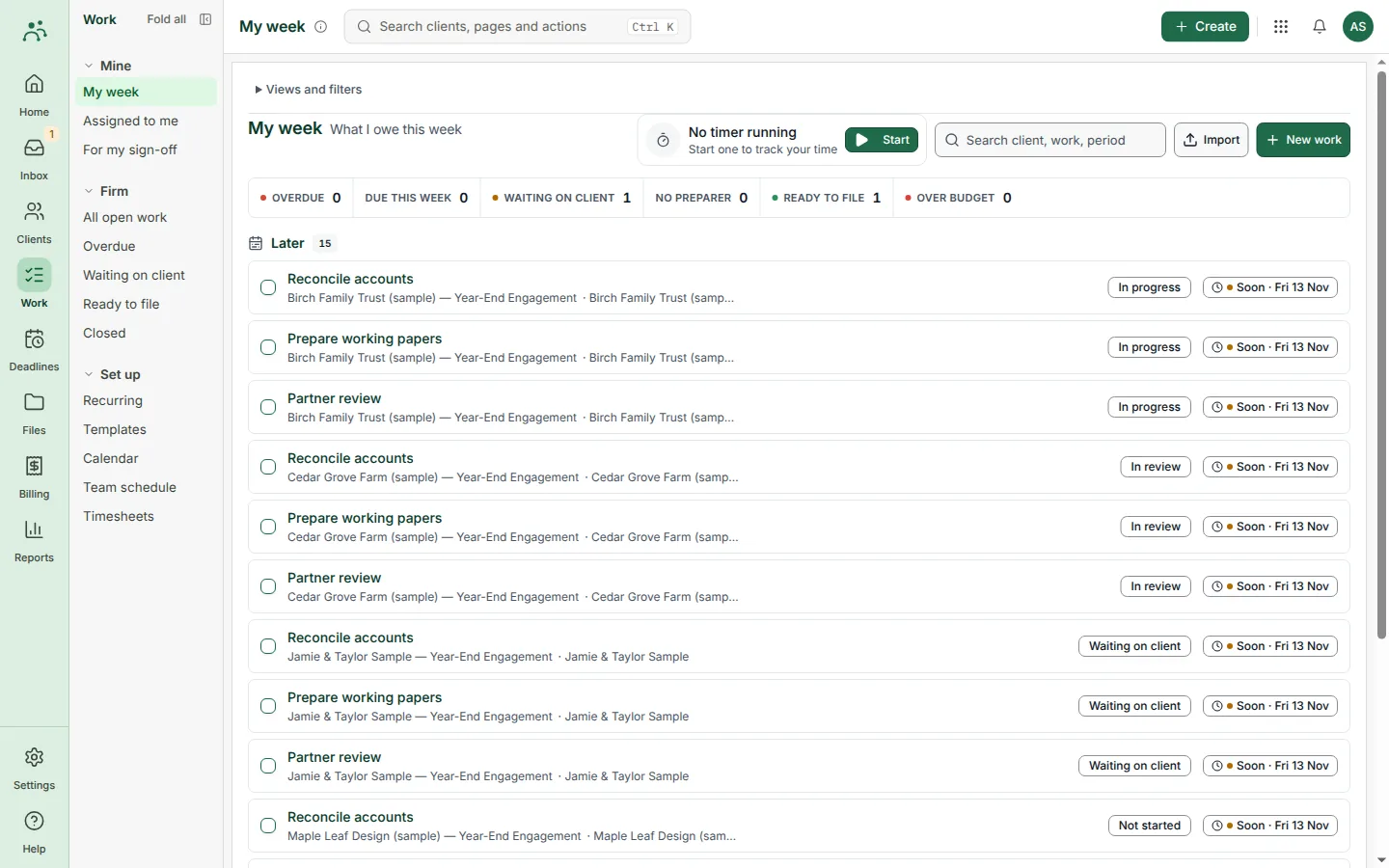
My week
See what you owe this week, what is waiting on a client and what is ready to file, across every engagement.
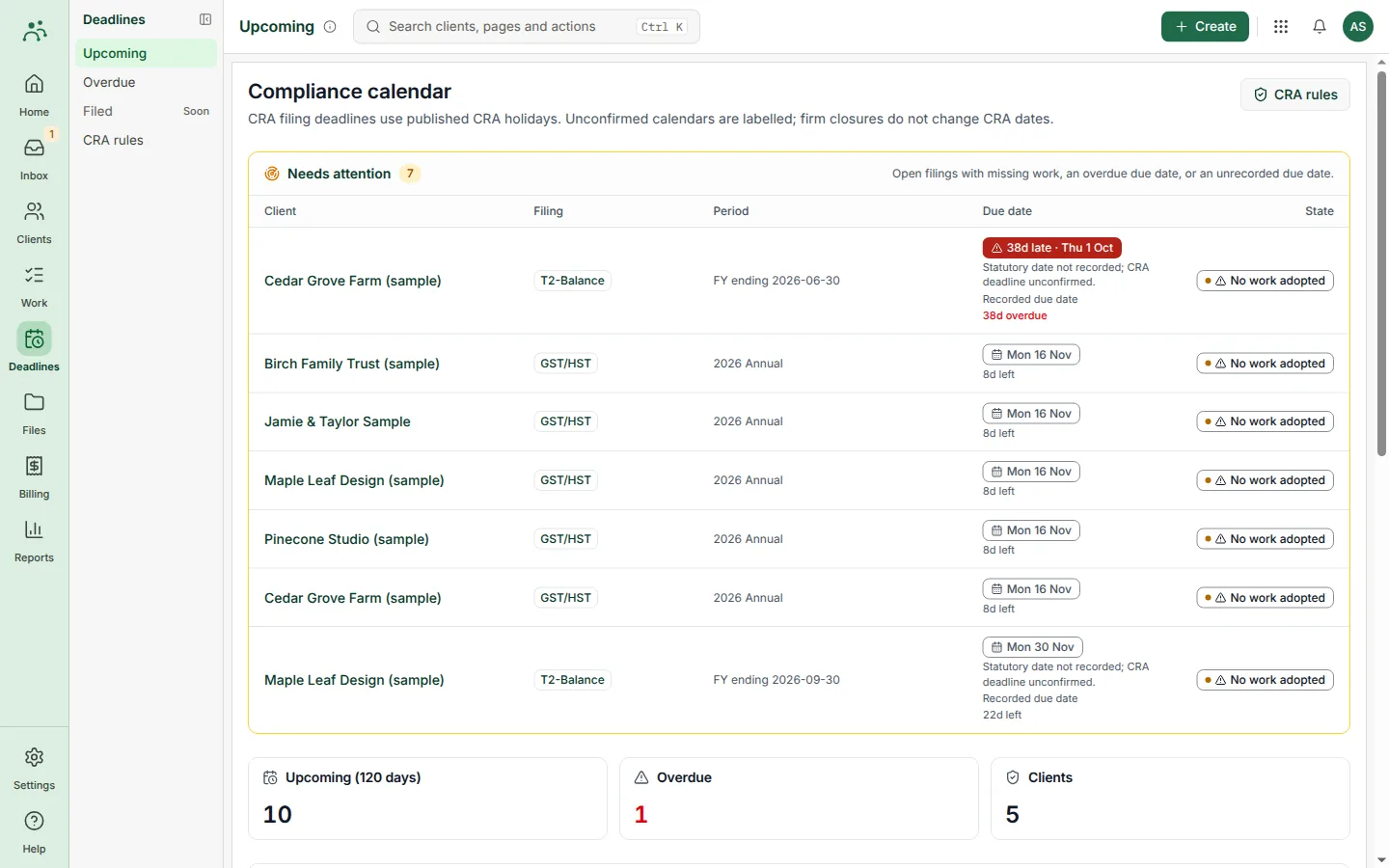
Compliance calendar
Filing deadlines follow published CRA holidays. Overdue and unconfirmed dates are flagged before they cost you.
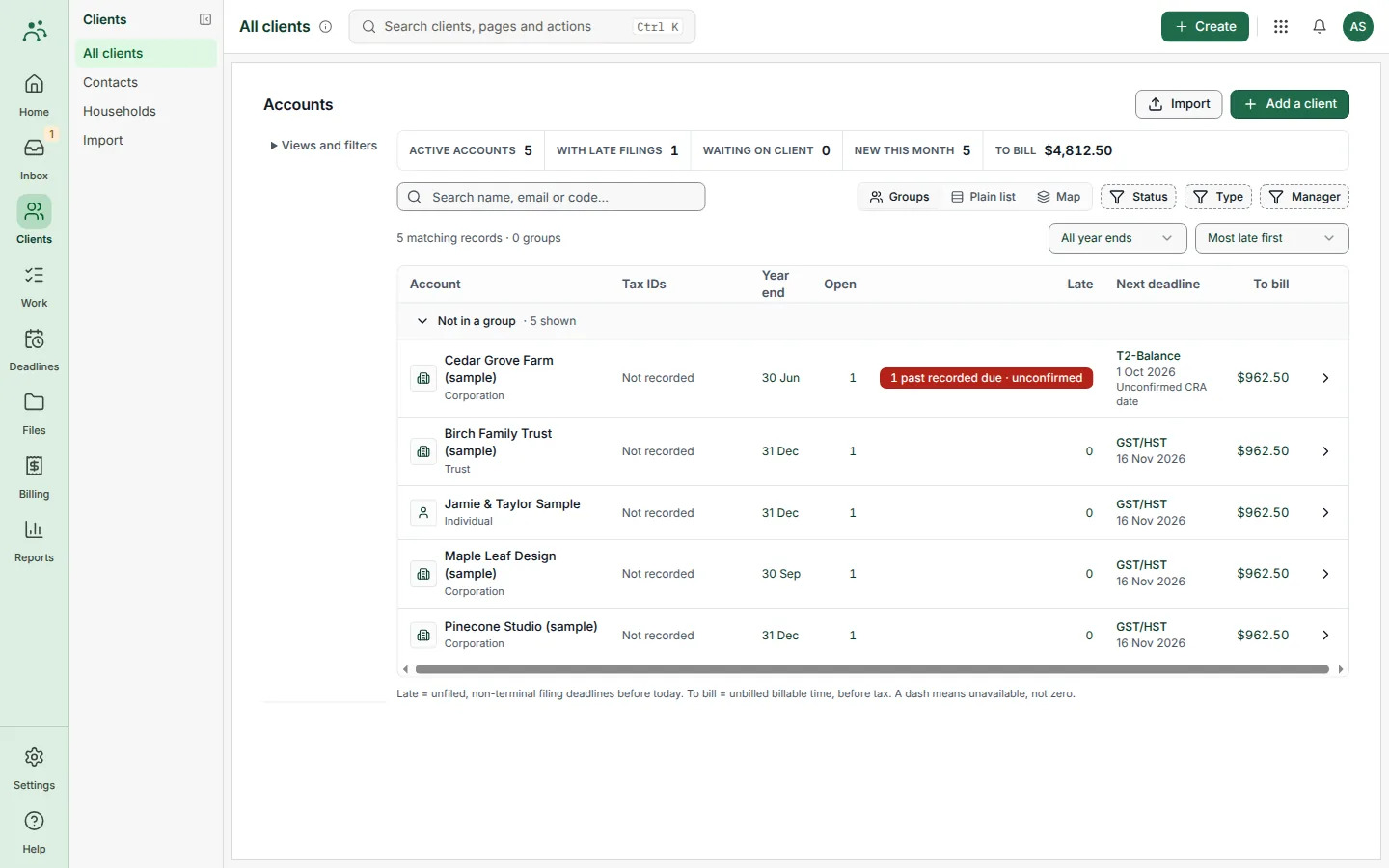
Client accounts
Year-ends, next deadlines and unbilled time for every client in one list you can filter and group.
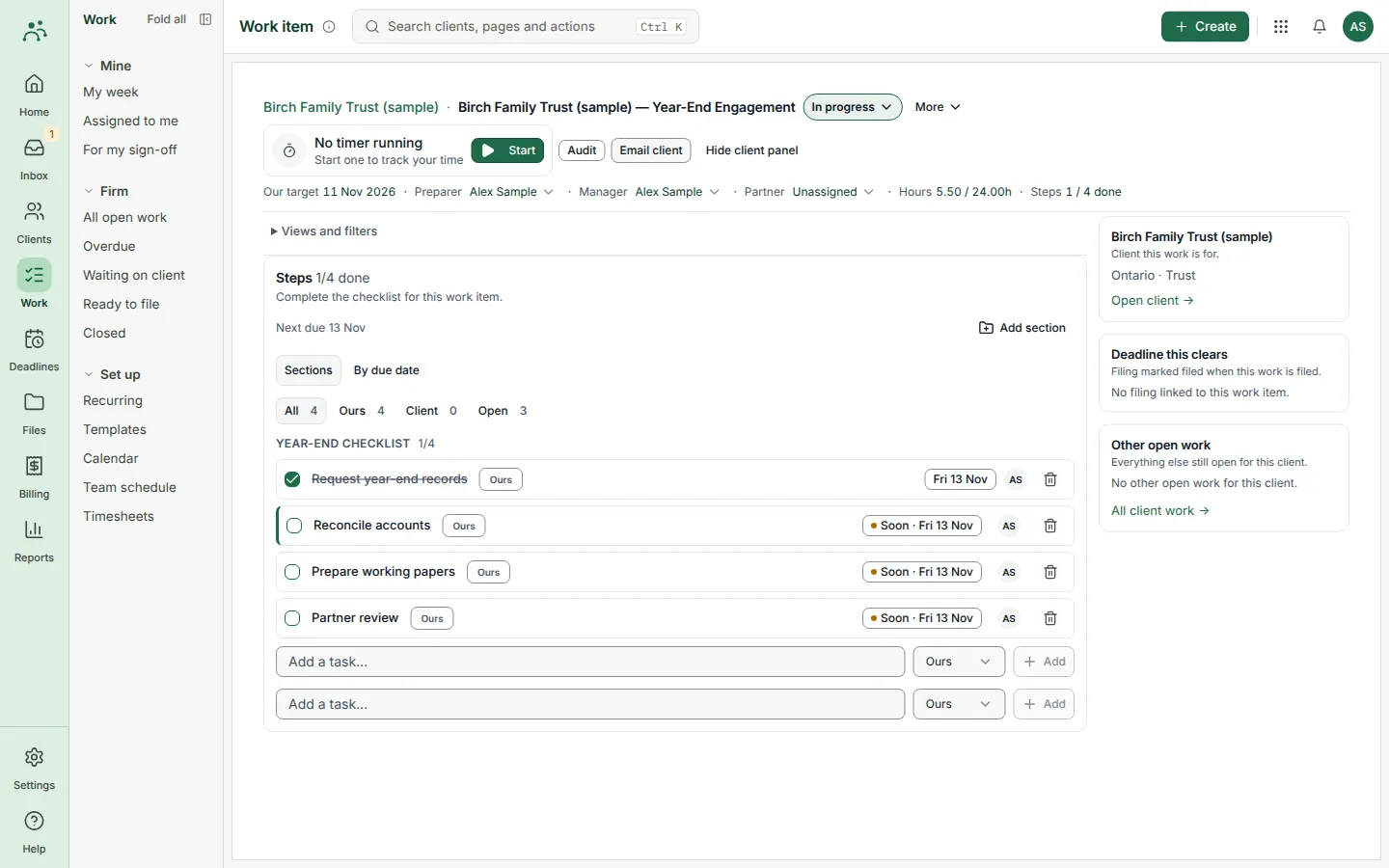
Year-end checklists
Each engagement carries its own checklist, with tasks split between your team and the client.
Get oh my practice when access opens.
Sign-up is not open yet. Join the waitlist, choose practice, and we will write when access opens.
Five steps. From first call to final invoice.
Check the client
Profile, contacts and team assignments, before a job starts.
Pick a work template
Preview its tasks and dates. Confirm who prepares and who reviews.
Follow the week
My Week and the firm views show progress by stage.
Ask for what is missing
A document request with a list, a link and an expiry.
Record time, then bill
Review unbilled time in WIP before creating the invoice.
One product, two ways to use it.
My Week
Each person sees their next action: what is due, what is in review and what is waiting on a client.
Firm views
Partners see every job, date and assignment together.
Progress that means something.
- Status, stage and checklist are separateEach answers a different question about the job.
- Tasks can wait on other tasksWork that is blocked stays visible.
- Three roles per jobPreparer, reviewer and partner responsibility.
- A due date is not a filingKeep the confirmation with the file before you call it done.
oh my practice and the usual alternatives.
A general comparison with the kinds of tools people use today. We name no products, and "often" means often, not always.
| GENERAL PROJECT TOOLS | SPREADSHEETS AND EMAIL | | |
|---|---|---|---|
| Built for | Any kind of team | Whoever made the sheet | Accounting firms |
| Deadlines | Dates you type in | Dates you type in | Filing deadlines that follow CRA holidays |
| Client documents | A separate tool | Email attachments | Requests with a list, a link and an expiry |
| Roles on a job | One assignee | None | Preparer, reviewer and partner |
| Time to invoice | An add-on or an export | Manual | Unbilled time reviewed in WIP, then invoiced |
What practice does not do, and what is next.
Know the limits
- Email delivery and file uploads need connected services.
- A request can be recorded before its email is delivered.
- Due dates track work. The filing receipt is the proof.
Coming
- Visual workflow builder
- Custom report builder
- Profit calculations and revenue forecasting
- A shared client list across the suite
Better with the others.
Connections between products are being built. These are the ones planned for practice.




From $39 a month
$39 a month for the first user and $29 a month for each additional user. Pay yearly and get 2 months free. Prices in CAD, before GST/HST. The basic client list (the home screen with product icons) is free for every subscriber of any product. Paid practice adds the rest.
Includes 200 credits a month per user, about 40 questions. Credits join one balance for your whole firm, and unused credits carry over for 12 months.
Book a 20-minute call with us and get 25% off your first 6 months. Book a call
Asked before signing up
Can a client upload documents without an account?
Yes. Each request has its own link with an expiry date. Share it only with the person it is meant for.
Does time tracking calculate staff pay?
No. Time supports work records and client billing. Staff pay belongs in oh my payroll.
Can I import my client list?
Yes. The client list has an import.
Can I use oh my practice on its own?
Yes. Each product works alone and has its own price.
Where is my data stored?
In Canada, in Montréal.
How do I get access?
We are preparing for launch. Join the waitlist, choose practice, and we will write when access opens.





