
Check the run. Then publish.
For firms running payroll for many employers, and for businesses paying their own staff. Every run is assessed before it is published.
- CRA T4127 formulasIncluding CPP and EI.
- Findings before publishingBlocking ones stop the run.
- Remittances by periodOwed, paid and past due.
Nobody likes a pay-day surprise.
Every run shows how gross pay becomes net pay, line by line. Then an assessment reads the run before anyone is paid. A blocking finding stops it there.
- CalculateT4127 formulas
- AssessFindings listed
- BlockedFix the fact first
- PublishStubs released
Bar lengths are illustrative, not a calculation.
Canadian payroll rules, with review where it matters.
- WithholdingUses the CRA's T4127 payroll formulas, with CPP and EI.
- Remittance periodsFollow the CRA's T4001 Employers' Guide.
- Vacation payDepends on province and length of service, and is flagged for review.
- Year-endEvery T4 box is checked per employee before slips are made.
Five steps. Checked before anyone is paid.
Confirm the employer
Province, payroll account and CRA remitter type.
Review the people
Pay frequency, earnings, deductions and year-to-date.
Prepare the run
Inspect statutory deductions, employer amounts and net pay.
Read the assessment
Fix the underlying facts and recalculate.
Review the remittance
Record each payment with its date and reference.
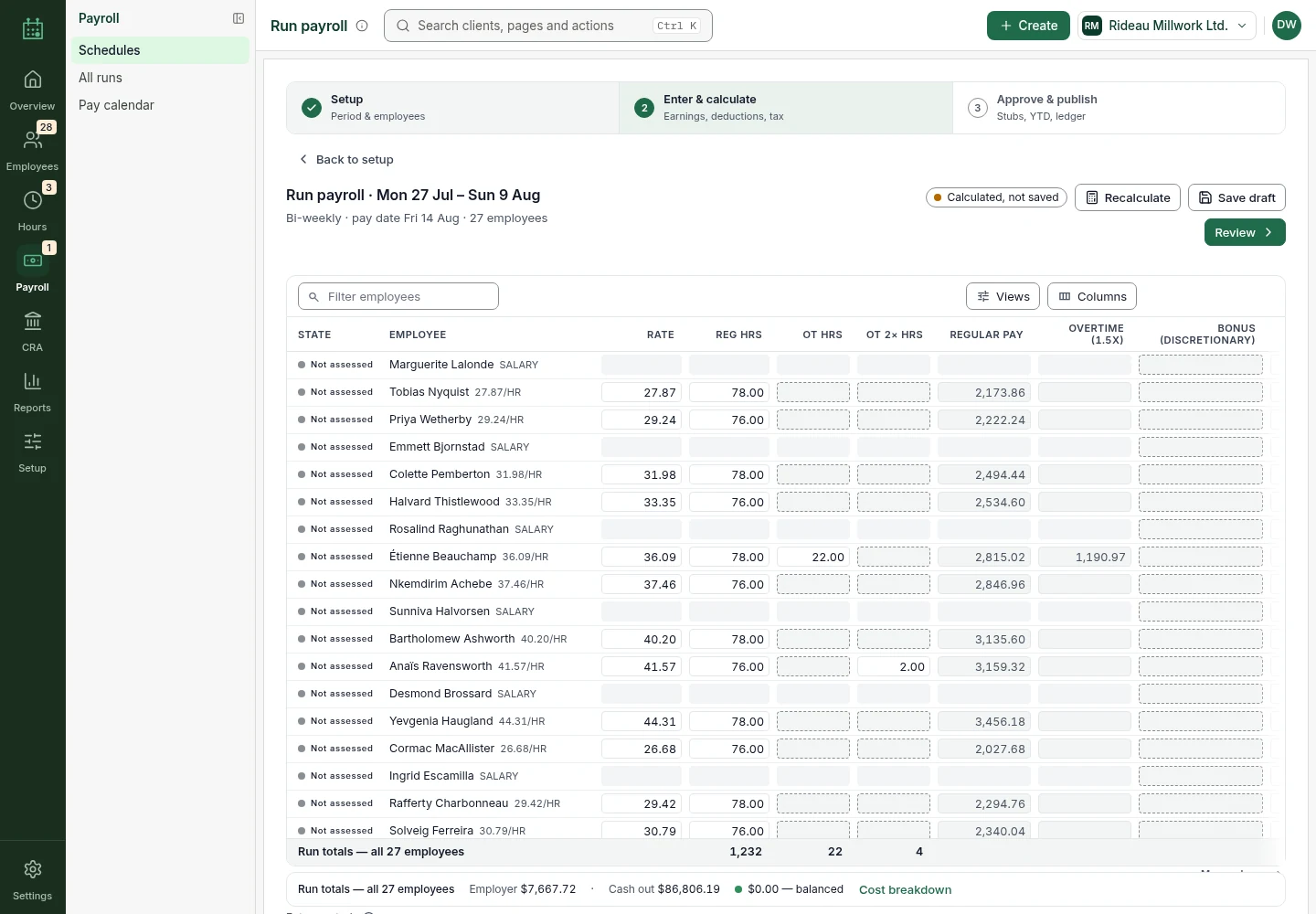
Pay runs in three steps
Set the period, enter and calculate, then approve and publish stubs.
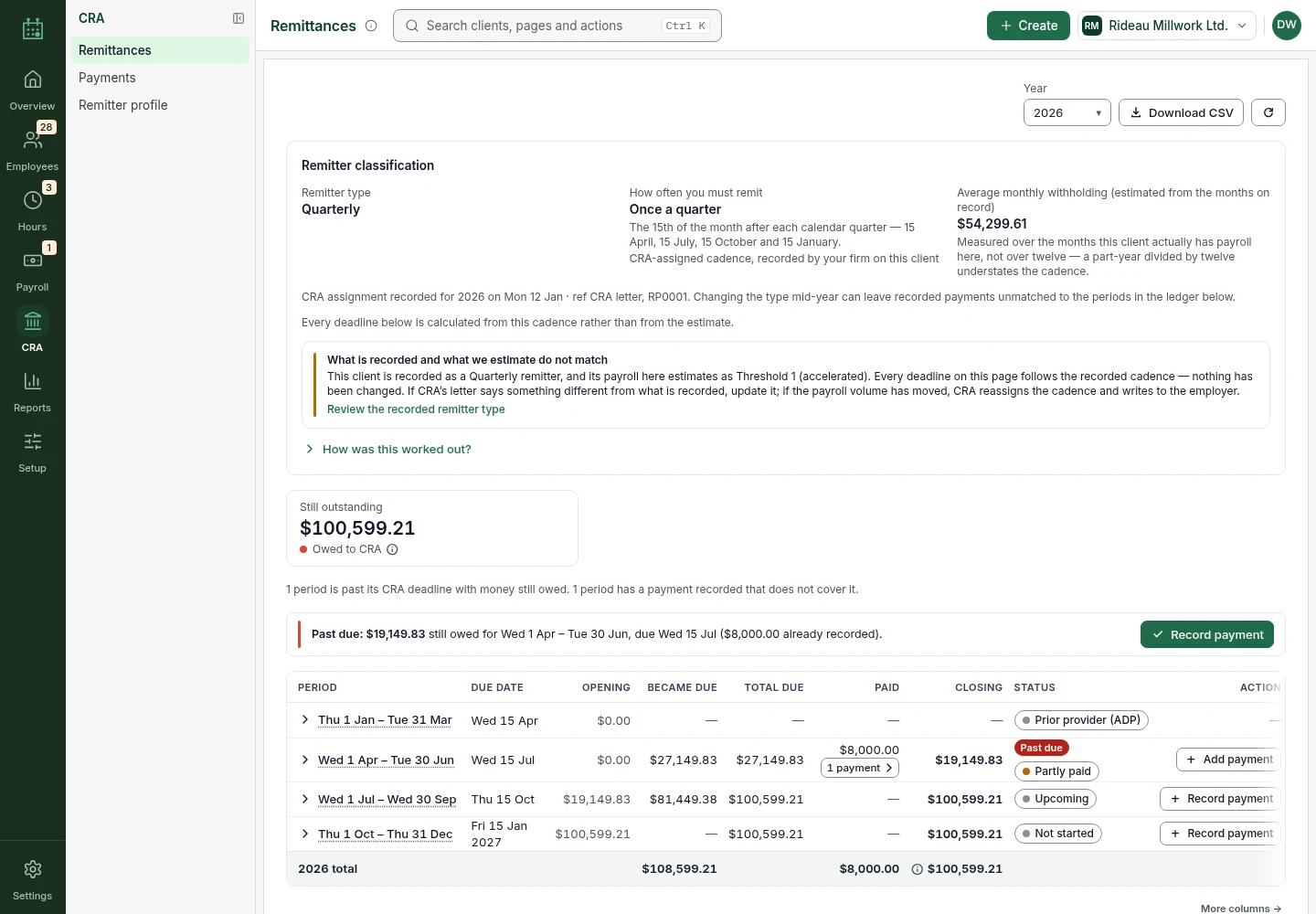
CRA remittances
See what is owed per period, what has been paid and what is past due.
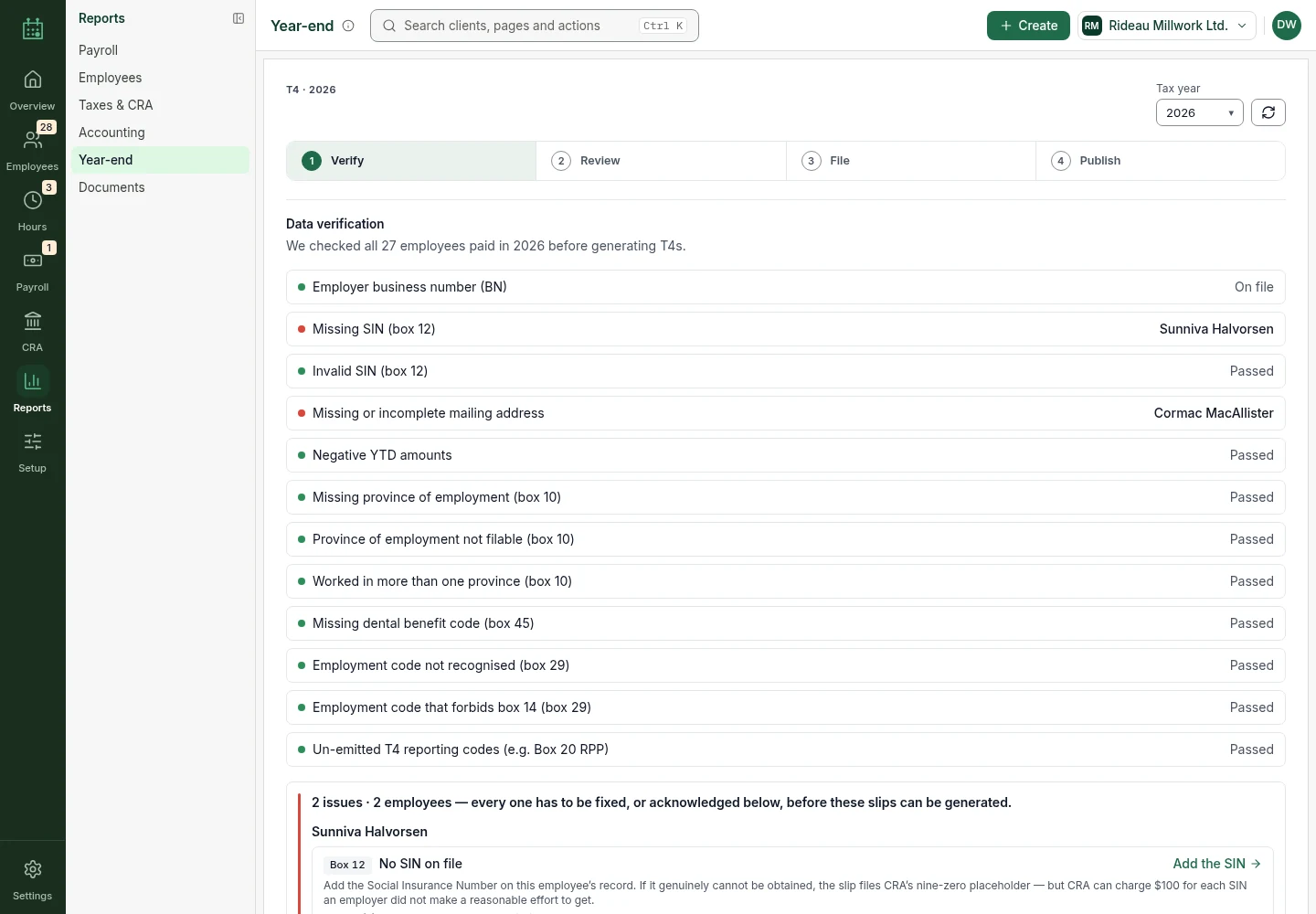
Year-end verification
Every employee is checked before T4s are generated, and each issue names the box it affects.
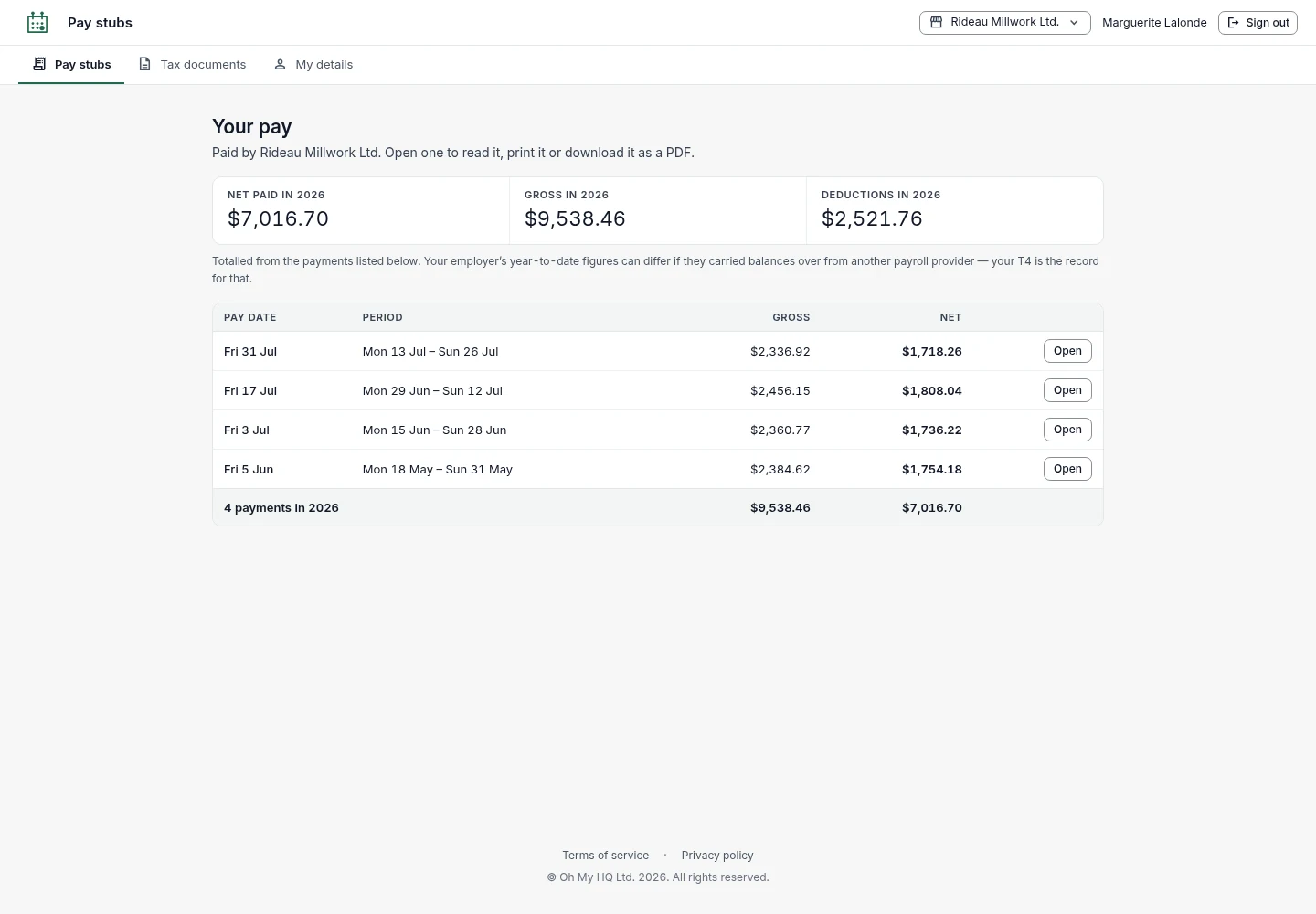
Employee portal
Staff open their own pay stubs and tax documents.
Get oh my payroll when access opens.
Sign-up is not open yet. Join the waitlist, choose payroll, and we will write when access opens.
One product, two ways to use it.
For an accounting firm
Run payroll for many employer clients and switch between them.
For a business
Prepare pay for your own employees, who open their own stubs.
oh my payroll and the usual alternatives.
A general comparison with the kinds of tools people use today. We name no products, and "often" means often, not always.
| FULL-SERVICE PAYROLL PROVIDERS | SPREADSHEETS |  | |
|---|---|---|---|
| Built for | Usually one employer per account | Anyone | Firms with many employers, and single businesses |
| Before a run is final | Often accepted as entered | No checks | An assessment lists findings first |
| Moving money | Pays staff and remits for you | No | No. You pay and remit, then record it |
| Remittances | Handled out of sight | A tab you maintain | Owed, paid and past due by period |
| Year-end | Slips are generated | Manual | Each T4 box verified per employee |
What payroll does not do, and what is next.
Know the limits
- The current version covers employers outside Québec.
- Publishing a run does not pay staff or send a CRA remittance.
- Vacation pay does not cover every provincial rule. The guide lists the checks.
Coming
- A shared client list across the suite
Better with the others.
Connections between products are being built. These are the ones planned for payroll.



From $10 a month
One client is $10 a month. Batches of 10, 20 and 50 cost less for each client, and they stack. Pay yearly and get 2 months free. Prices in CAD, before GST/HST. Each client includes up to 10 employees. Each extra employee on that client is $1 a month.
Includes 50 credits a month per client, about 10 questions. Credits join one balance for your whole firm, and unused credits carry over for 12 months.
Book a 20-minute call with us and get 25% off your first 6 months. Book a call
Asked before signing up
Does a calculated pay run mean employees have been paid?
No. Calculating, publishing and paying are separate steps. Keep the payment confirmation.
Can a quarterly remitter review monthly totals?
Yes. Monthly totals give detail inside the quarter. The quarter still sets what is owed.
What do I do with an assessment finding?
Read the reason, fix the employer or employee fact behind it, then recalculate.
Can I use oh my payroll on its own?
Yes. Each product works alone and has its own price.
Where is my data stored?
In Canada, in Montréal.
How do I get access?
We are preparing for launch. Join the waitlist, choose payroll, and we will write when access opens.





