
Receipt in. Claim approved.
Capture receipts, match them to card or bank statement lines, and record mileage and per diem as travel entries, then group them into claims. Review claims by person, then export approved claims to CSV or PDF.
Sample Cloudberry Supplies
2026-11-05 · CAD
- The receipt is the evidenceThe original is always kept.
- Tax as printedGST, HST, PST and QST.
- Approval is a recordNo money moves.
Five steps. From paper to a decision.
Upload the receipt
A photo, an image or a PDF, against the right client.
Compare what was read
Vendor, date, currency, subtotal, total and printed tax.
Check for duplicates
Decide if two receipts are one purchase or two.
Approve or reject
Correct the fields, pick a category, keep the reason.
Export approved claims
Download a claim as CSV or PDF, with totals kept separate for each currency.
Claims you can approve
Group approved receipts and travel entries into a claim. A separate reviewer approves it, then you can export the claim to CSV or PDF.
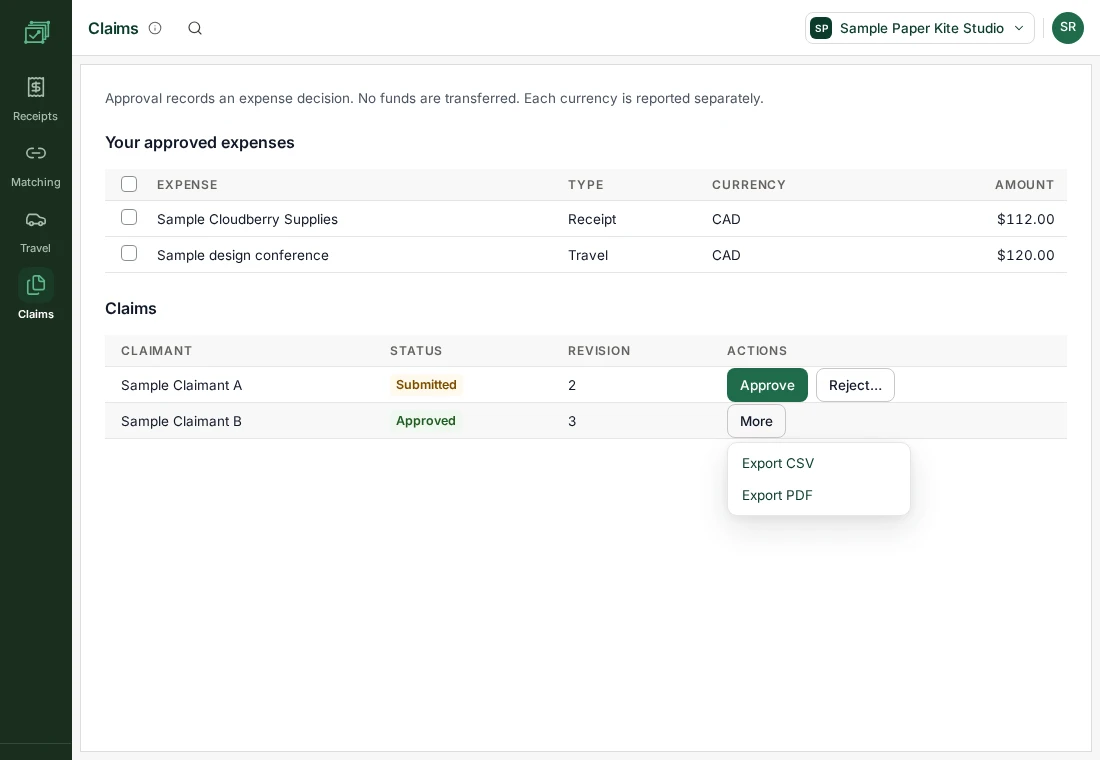
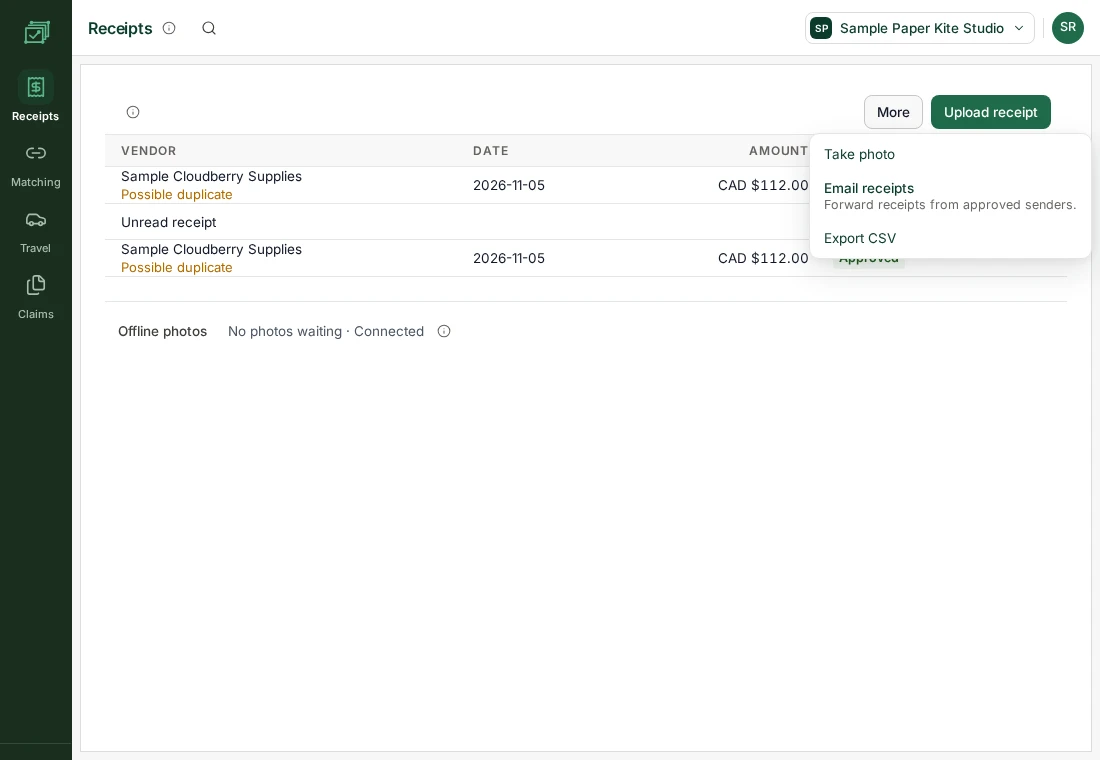
Capture receipts
Take a photo, upload a file or forward receipts by email. Import a card or bank statement CSV, review suggested receipt matches and confirm the links.
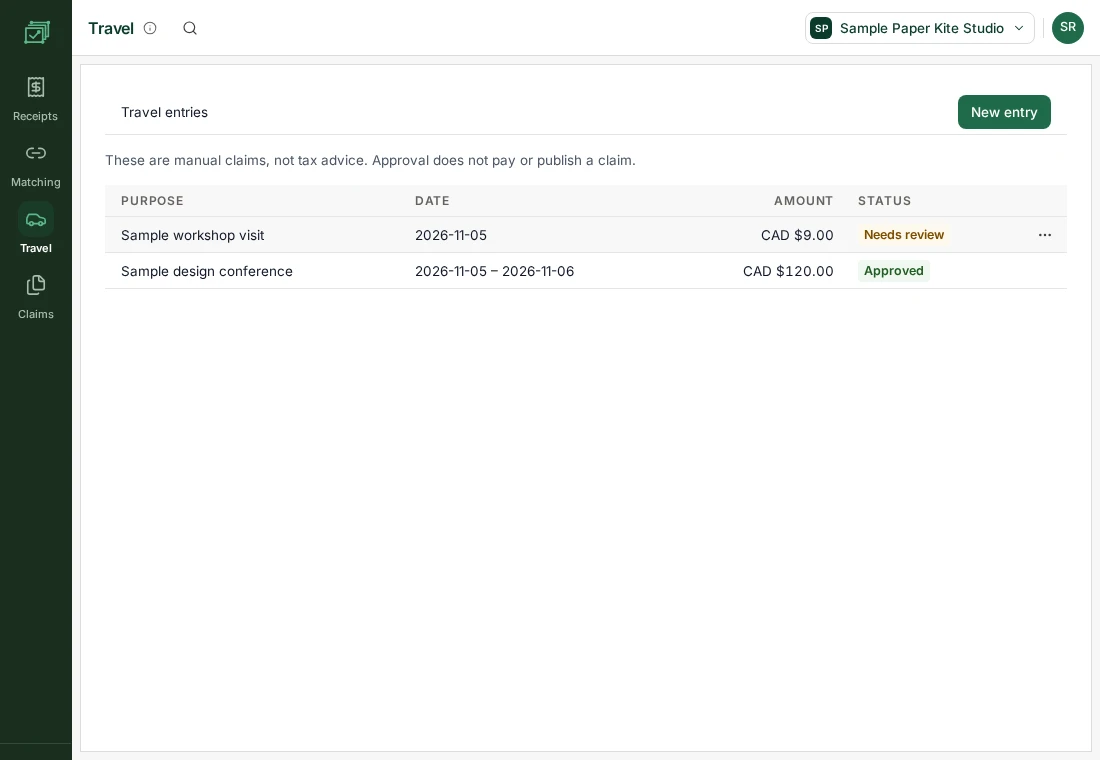
Mileage and per diem claims
Record kilometres and an agreed rate for mileage, or dates and a daily rate for per diem. Each entry waits for a separate reviewer to approve it.
Get oh my expenses when access opens.
Sign-up is not open yet. Join the waitlist, choose expenses, and we will write when access opens.
Capture the tax without assuming the claim.
- Printed tax is a factCapturing it does not decide deductibility or an input tax credit.
- Unknown stays unknownMissing amounts are not filled in for you.
- The date is the purchase dateChanging time zone does not move it.
- Duplicates are comparedAgainst the original documents.
One product, two ways to use it.
Receipts
Capture, read, review and approve, one document at a time.
Travel entries
Mileage and per diem claims using your agreed rates, with a separate reviewer.
oh my expenses and the usual alternatives.
A general comparison with the kinds of tools people use today. We name no products, and "often" means often, not always.
| CORPORATE-CARD EXPENSE APPS | A SHOEBOX AND EMAIL | | |
|---|---|---|---|
| Starts from | A card feed | A pile of paper | The receipt itself |
| Missing details | Often filled in for you | Left out | Marked unknown until confirmed |
| Sales tax | Often one tax field | Typed by hand | GST, HST, PST and QST as printed |
| Approval | Often triggers a payout | A reply-all | A recorded decision with a reason |
| Who reviews | A manager | Whoever has time | The business and its accountant |
What expenses does not do, and what is next.
Know the limits
- Approving a receipt does not reimburse anyone or post a journal.
- Statement matching uses imported CSV files. Live bank and card feeds and corporate cards are not included.
- Reading receipts and email intake need connected services.
Coming
- Publishing approved receipts to oh my ledger
Better with the others.
Connections between products are being built. These are the ones planned for expenses.



From $10 a month
One client is $10 a month. Batches of 10, 20 and 50 cost less for each client, and they stack. Pay yearly and get 2 months free. Prices in CAD, before GST/HST. Receipt scanning uses your firm's credits.
Includes 500 credits a month per client, enough to read 50 receipt pages. Credits join one balance for your whole firm, and unused credits carry over for 12 months.
Book a 20-minute call with us and get 25% off your first 6 months. Book a call
Asked before signing up
Will missing tax be filled in automatically?
No. Missing amounts are treated as unknown until you confirm them from the receipt.
Is approval the same as reimbursement?
No. Approval records a review decision. Payment is a separate action.
Can I export a claim?
Yes. Approved claims export to CSV or PDF, with separate totals for each currency.
Can I match statements to receipts?
Yes. Import card or bank statement lines from a CSV, review suggested matches and confirm the receipt for each line.
Does it include mileage and per diem?
Yes. Enter kilometres and an agreed rate for mileage, or dates and a daily rate for per diem. Another reviewer approves the travel entries.
Can I use oh my expenses on its own?
Yes. Each product works alone and has its own price.
Where is my data stored?
In Canada, in Montréal.
How do I get access?
We are preparing for launch. Join the waitlist, choose expenses, and we will write when access opens.





